Express training
Learn to keep the books in Express
Grounded from the very beginning through to closing the accounts yourself, with every step done alongside you.

Who it suits
Who this course is for
No accounting degree required — only wanting to keep the books properly.
- 01
Anyone building knowledge to change job or win a promotion
- 02
Anyone looking for accounting work without experience, or already working in accounting and wanting to know more
- 03
Anyone without an accounting qualification who wants to learn the work, and anyone who lacks confidence doing it
- 04
New business owners who want to keep their own books to save cost, and use it in their own business
- 05
Recent graduates, in accounting or another field, who want knowledge they can put to work
How it is taught
One to one, with every step done alongside you
Taught on the Express demo edition, from setting up the system to running your own reports. Easy to follow, with no prior grounding assumed.
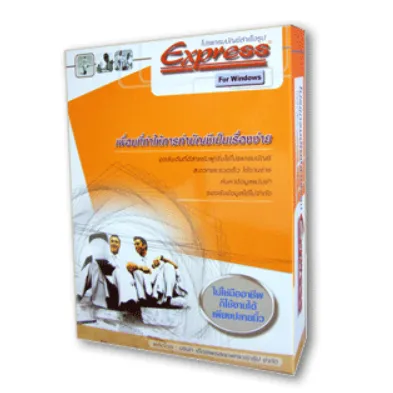
- One-to-one teaching on the demo edition of the program
- The balance sheet, the profit and loss account and the general ledger
- Using Express from first principles, from starting the system to producing the reports
- How to analyse documents so they can be posted
- How to prepare supporting documents so expenses can be recorded correctly for tax
- How to build the fixed asset register
- Taught at your home, or at a co-working space by arrangement
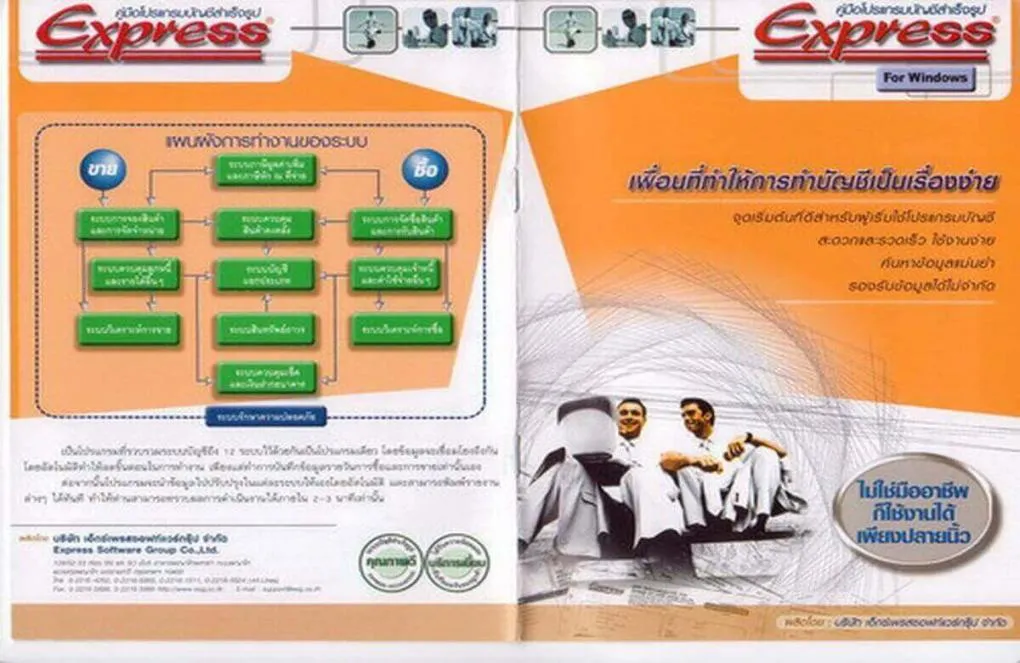
The program
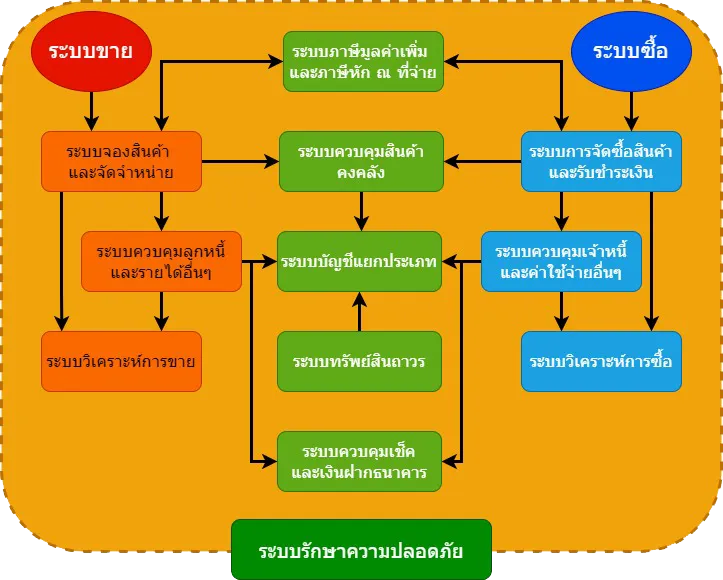
Express is twelve subsystems working together
Each one feeds the next: record something once and it flows through to the general ledger on its own.
- 01Purchasing and goods receipt
- 02Accounts payable and other expenses
- 03Sales and stock reservation
- 04Accounts receivable and other income
- 05Inventory control
- 06Cheques and bank deposits
- 07VAT and withholding tax
- 08General ledger
- 09Fixed assets
- 10Sales analysis
- 11Purchase analysis
- 12Data security
The syllabus
What the course covers
Six stages, from getting the system set up to reading a set of accounts you produced yourself.
- 01
Opening the program and setting the system up
- Creating the new company
- Opening a new data file
- Setting the various defaults
- Defining the data tables
- Setting the accounting period
- The chart of accounts
- Linking accounts: posting items through to the journals, and setting which accounts they post to
- Setting document numbering
- Entering salesperson details
- 02
Customers, suppliers, products and bank accounts
- Sales and receivables defaults, both general settings and methods of receipt
- Entering customer details
- Purchase and payables defaults, both general settings and methods of payment
- Entering supplier details
- Product defaults, both general settings and product account groups
- Entering products, service items and product sets
- Entering bank account details
- 03
Opening balances and the asset register
- Outstanding receivable balances
- Outstanding payable balances
- Closing stock and raw materials
- Post-dated cheques received, brought forward
- Post-dated cheques issued, brought forward
- Account balances brought forward
- Building the fixed asset register
- 04
Recording the transactions as they happen
- Purchase orders, cash purchases and credit purchases
- Credit notes and returns, on both the sales and the purchase side
- Receipts against sales, and payments against purchases
- Credit purchases and sales where a service fee is involved
- Receipts where a service fee is involved
- Using the other-expenses routine to post through the system rather than straight into the journals
- 05
Analysing transactions for both accounting and tax
- Analysing transactions and reading the accounting documents
- Checking input tax invoices to separate reclaimable input tax, input tax that becomes an expense, and prohibited input tax
- Checking company expenses — business, personal, entertainment and staff welfare — and how each is posted
- Preparing documents such as cash bills, and expenses with incomplete receipts, to Revenue Department requirements so they count as tax-deductible
- Recording salaries, social security and attendance bonuses
- Issuing withholding tax certificates, P.N.D.3 and P.N.D.53, from the program
- 06
Running the financial reports
- The general ledger
- The balance sheet
- The profit and loss account
- Receivables detail
- Payables detail
- Closing stock detail
- The cheque register, received and issued
- Other routines, such as checking the postings and reindexing the data
Want to keep the books yourself? Start with a conversation
Call or add us on LINE for the details. Tell us what grounding you have and what you want to be able to do, and we will shape the topics around you.
Monday–Saturday, 9:00 am–6:00 pm